
What’s the Difference Between These SSDs?
4 min read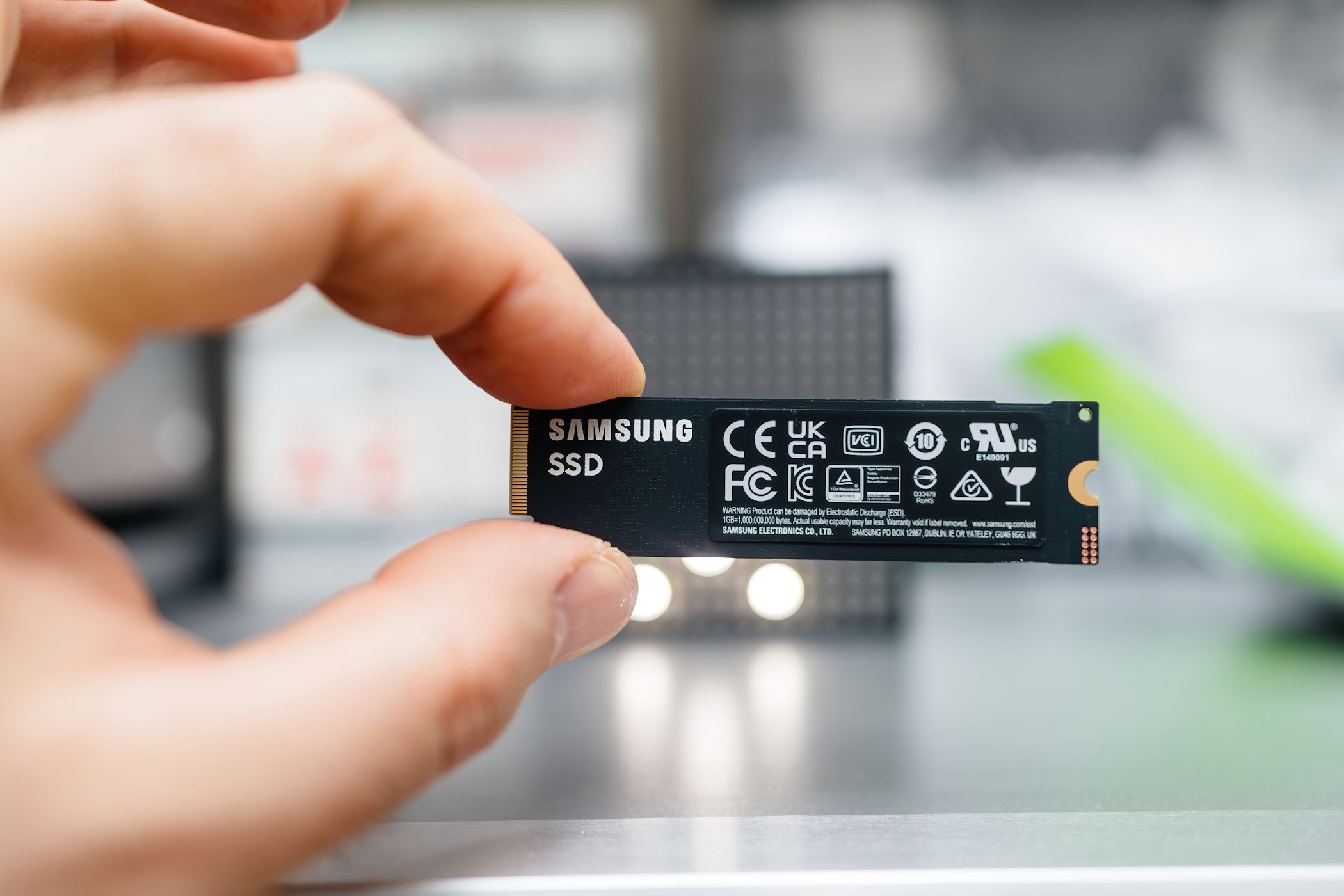
Key Takeaways
-
NVMe and SATA refer to the common interfaces used in SSDs.
- SATA is the older version, previously used in HDDs and early SSDs, while NVMe is the newer protocol with lower latency through direct PCIe connection.
- M.2 is a form factor for SSDs, often used for ultrathin laptops and tablets, available in both SATA and PCIe SSDs.
SSD terms can be confusing when you’re just getting started. Different terms are thrown around, including NVMe, SATA, and M.2, which can be hard to grasp. We’ll detail the differences between NVMe, SATA, and M.2 SSDs so you can make an informed decision when purchasing a new SSD.
NVMe vs. SATA SSDs: The Two Common Interfaces Explained
When shopping for a new SSD, you’ll likely bump into these two terms: NVMe SSD and SATA SSD. But what are they, and what makes the two different?
In a nutshell, NVMe (Non-Volatile Memory Express) and SATA (Serial ATA) are interfaces between your SSD and the rest of your computer. SATA arrived in 2003 and was instrumental in helping modern HDDs increase their transfer speeds. SATA was later used in SSDs to communicate between the drive and the rest of the system. As such, there are SATA HDDs and SATA SSDs.
NVMe, on the other hand, is a newer interface solely created for SSDs. NVMe SSDs use the Peripheral Component Interconnect Express (simply known as PCIe) bus, a general-purpose interface standard found on motherboards for connecting high-speed components like graphics cards and SSDs. PCIe is also used to connect other components like network cards. If you need more details, check out our PCIe explainer.

Under the context of storage interfaces, there are two main protocols: AHCI (Advanced Host Controller Interface) and NVMe (Non-Volatile Memory Express). AHCI is an older protocol designed for use with SATA devices, including both HDDs and early SSDs. NVMe, on the other hand, is a newer and more efficient protocol created specifically for SSDs that use the PCIe interface, offering significantly better performance and lower latency.
NVMe delivers faster performance and is one of the key reasons why NVMe SSDs are more expensive than their SATA counterparts for the same amount of storage. However, although NVMe SSDs are faster, there are reasons why you should stick to SATA SSDs instead of jumping straight to the NVMe standard.
Depending on the interface used, you’ll see SSDs labeled as SATA or PCIe. There are different factors to consider when choosing between SATA and PCIe SSDs. As mentioned previously, PCIe SSDs can use the older AHCI driver or the newer NVMe driver. But if speed is all you care about, then pick an NVMe over a PCIe SSD with the AHCI driver. For example, Crucial’s T700 PCIe 5.0 M.2 SSD delivers up to 12.4GB/s read speeds.
Also, keep in mind that the maximum transfer speeds vary depending on the PCIe generation. Here’s a summary of the differences between NVMe and SATA:
|
Feature |
NVMe |
SATA |
|---|---|---|
|
Interface type |
PCIe (Peripheral Component Interconnect Express) |
Serial ATA (AHCI protocol) |
|
Data transfer speed |
At least 10GB/s (PCIe 5.0) |
Up to 600MB/s (SATA III) |
|
Latency |
Lower latency due to direct PCIe connection |
Higher latency due to AHCI overhead |
|
Form factors |
M.2, U.2, PCIe add-in cards |
2.5″, 3.5″, M.2 (SATA) |
|
Cost |
Typically more expensive |
Generally more affordable |
|
Application |
Best for high-performance tasks |
Suitable for general-purpose use |
M.2 Is an SSD Form Factor
Aside from NVMe and SATA, M.2 is also a common term in the SSD space. But what is an M.2 SSD?
Simply put, an M.2 SSD is an SSD in the M.2 form factor. M.2 is what was previously called the Next Generation Form Factor (NGFF).
NVMe SSDs commonly use the M.2 form factor, but they can also be found in U.2 and as add-in PCIe cards. SATA SSDs are available in the standard 2.5-inch form factor and the smaller and slimmer M.2 form factor. Additionally, they might also come in the 3.5-inch form factor, but these are far less common. Most modern SATA SSDs come in the 2.5-inch form factor. You’ll find M.2 SSDs in ultrathin laptops, tablets, and mini PCs.

M.2 was developed by the SATA International Organization and a consortium of industry players. It is often referred to as a replacement for mini Serial Advanced Technology Attachment (mSATA) SSDs. Although mSATA is older, you can still buy SSDs with the interface off the shelf, like the 512GB Leven JMS600 mSATA SSD.
There are different types of M.2 SSDs, including SATA SSDS, PCIe NVMe SSDs, and PCIe AHCI SSDs. Remember that M.2 only tips on the form factor and doesn’t tell you much about the interface used, which is equally, if not more important.
You’ll come across many insider terms when shopping for an SSD. However, don’t let all of that jargon confuse you. As detailed above, the main difference between NVMe and SATA SSDs is the interface used—NVMe SSDs use the PCIe interface, while SATA SSDs use the SATA interface.
On the other hand, M.2 is an SSD form factor often used to incorporate high-performance storage in high-end gaming rigs, ultra-portable laptops, and tablets. You can get SATA and PCIe SSDs in the M.2 form factor.
More often than not, these terms are combined. You’ll find someone talking about their new M.2 NVMe SSD or M.2 SATA SSD. Just know they are talking about the SSD form factor and the interface used.
