
How to claim lost Airpod Replacement?
3 min readLosing an AirPod can be frustrating, especially when you rely on it for work calls, music, or daily commuting. Fortunately, Apple and several trusted third-party services make the Airpod Replacement process easier and more affordable than most people expect. Whether you’ve misplaced one earbud, both, or even the charging case, you are not stuck buying a whole new set.
The first step is identifying exactly what is missing — left ear, right ear, or case. This matters because Airpod Replacement programs price each part separately. Some users also discover damage after loss, such as water exposure or internal battery issues, which can affect eligibility for coverage.
Check Warranty and AppleCare+ Coverage
Before purchasing anything, confirm whether your AirPods are under Apple’s Limited Warranty or AppleCare+. If the loss occurred due to accidental damage (not theft), AppleCare+ can significantly reduce the cost of Airpod Replacement. You can check coverage by entering your serial number on Apple’s website or through the Apple Support app.
If your warranty has expired, do not worry. Many reliable vendors supply authentic replacement components for far less than Apple’s official pricing. A quick search on recellexchange.ca, for example, shows multiple certified options for genuine components without needing to replace the entire set.
How to Claim Airpod Replacement Through Apple
-
Identify the missing part
Log in to Apple Support and select your AirPods model. Indicate whether the left bud, right bud, or case is lost. -
Verify serial number
The serial number can be found on the original box, Apple ID account, or the remaining AirPod. -
Select replacement service
Apple will quote the cost and provide shipping options. Once payment is complete, your Airpod Replacement arrives within a few days.
Third-Party Replacement Options
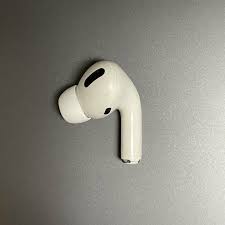
Many users prefer independent services for Airpod Replacement because of cost savings and availability. Quality resellers provide original OEM components, often with their own limited warranty and fast shipping. These sellers typically stock left earbuds, right earbuds, and matching charging cases, allowing you to rebuild your set instead of replacing everything.
When choosing a third-party vendor, confirm:
-
Model compatibility (AirPods 1st–3rd gen, Pro, etc.)
-
Warranty period on the replacement part
-
Authenticity guarantees
-
Return policies
Pairing Your New Replacement
After your Airpod Replacement arrives, pairing is simple:
-
Place both AirPods in the charging case.
-
Open the lid and hold the back button until the light flashes white.
-
Reconnect them through your device’s settings.
-
Test audio and microphone functions.
Most replacement parts sync immediately, and Apple’s firmware will update automatically once connected.
Preventing Future Loss
While Airpod Replacement is straightforward, prevention saves money and hassle. Consider:
-
Using an AirPod strap during workouts
-
Enabling Find My on your device
-
Adding a protective case with a clip
-
Storing AirPods in the same pocket or bag compartment consistently
Is It Worth Replacing One AirPod?
In nearly all cases, yes. If only one piece is missing, a single Airpod Replacement restores full functionality for a fraction of the price of buying new AirPods. This is especially valuable for newer models with higher retail prices.
In the end, AirPods are simply advanced wireless audio devices operating through modern Bluetooth technology — and losing one component should not force you into a full replacement cycle. With the right steps and reliable suppliers, you can return your listening experience to normal within days.

